Appearance
Creating & Configuring APIs
Create API Definition
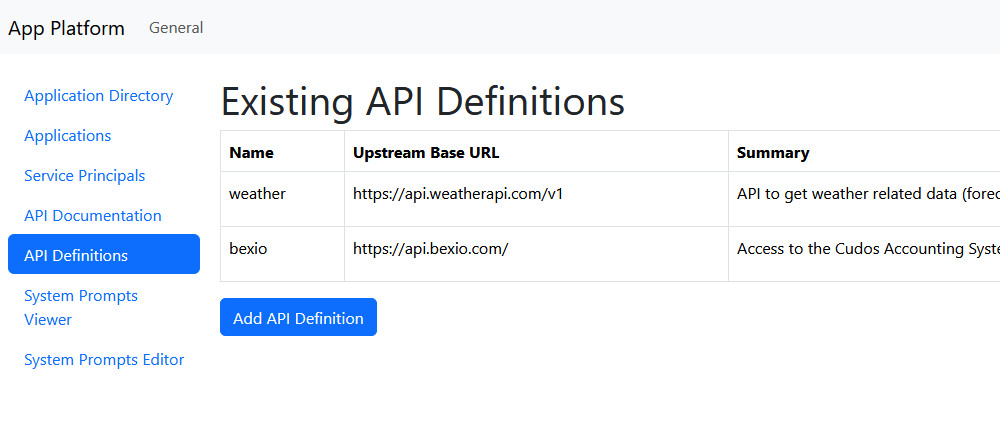
Navigate to API-Definitions and click Add API Definition. Configure the following:
- Name: Identifier for your API
- Upstream Base URL: The base URL of the external API
Add Authentication Credentials
Add authentication credentials to access external APIs using one of the following methods:
- Additional Headers: For APIs requiring header-based authentication (e.g.,
Authorization,X-API-Key) - Additional Query Parameters: For APIs requiring query string authentication
These credentials are automatically injected into requests over the Gateway, keeping sensitive keys secure and centralized.
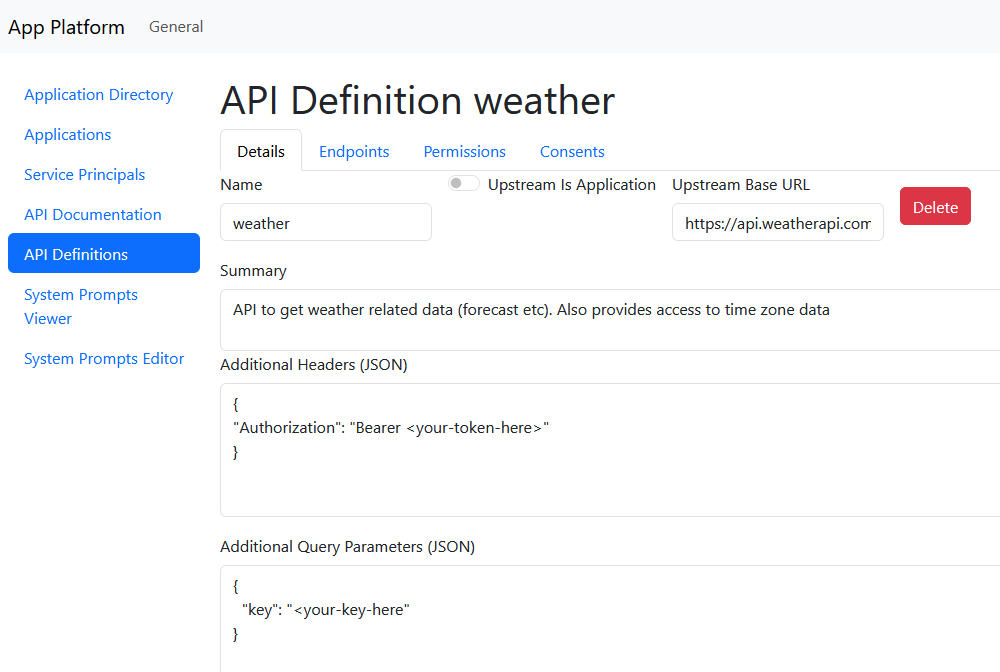
Note: Unlike shown in the image, in most scenarios, only one authentication method is required. If you're not using a field, enter
{}to leave it empty.
Configure Permissions
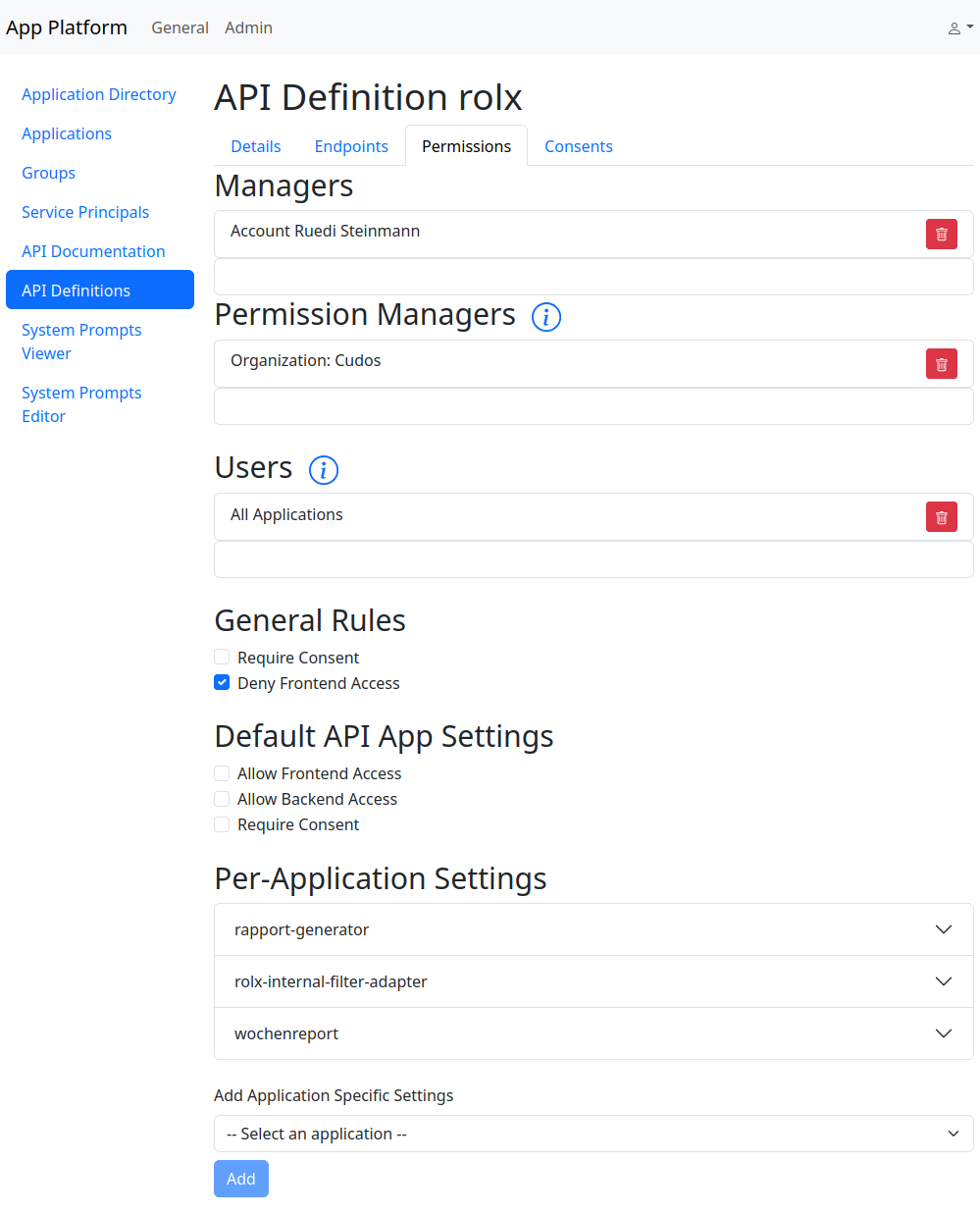
In the Permissions tab, control who can access and manage the API:
- Managers: Users who can modify the API definition
- Permission Managers: Users who can configure API access for their own applications
- Users: Users and applications authorized to call the API
Access Patterns and Permission Management
The API gateway performs authorization based the following information
- request source: frontend or backend
- originating application
- principal: the user using the application, or an application itself
The request source is an important aspect: if a request is sent by a frontend, the user could tweak the request in any way he wants. If the request comes from a backend, it is under the control of the application developer. Thus if an API depends on any authorization checks (or even just a limited set of requests) done by the application, only backend requests can be allowed.
Generally, an application can perform requests using the principal of the user using the application, or using the application principal, typically used for background jobs, or if the users of an application lack the permissions to use certain APIs.
There are a lot of options of how to manage the api permissions. A few of them are detailed here:
- API depends on authorization checks by application
- Set
Deny Frontend Accessunder general rules - Self service access: some app developers should be able to set up access themselves
- do not allow backend access by default
- add
All Applicationsto Users if the request with the application principal should be allowed - add the developers to the permission managers
- now the developers can enable access themselves under
Application->Permissions
- Set
#TODO: document more options